


Digital Menu Boards & Drive Thru Digital Menu Boards: A Complete Guide
Introduction: The Evolution of Menu Displays
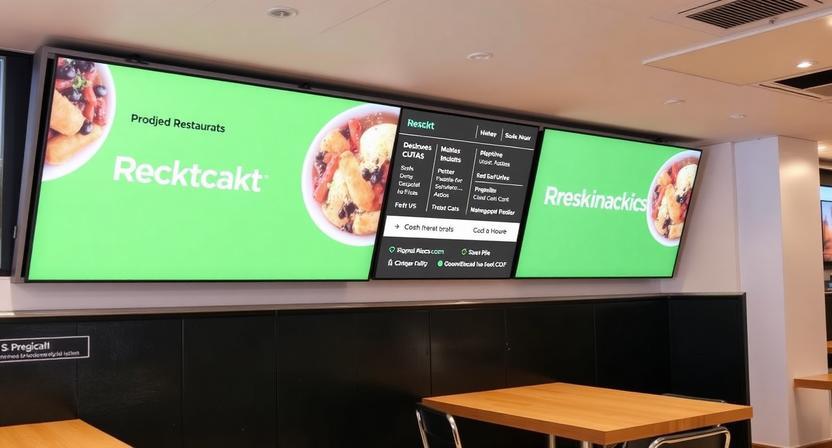
Gone are the days of backlit plastic panels with static prices and fixed items. Restaurants, fast-food chains, cafes, and even food trucks have increasingly shifted toward digital menu boards. These dynamic displays offer far more than visual appeal—they enable real-time pricing changes, promotional flexibility, and operational efficiency.
When extended to the drive thru, digital menu boards become even more critical. Drive thru digital menu boards face unique challenges: outdoor weather conditions, varying sunlight, and the need for ultra-fast readability. This article explores both indoor and drive thru digital menu board systems, their benefits, key features, and best practices.
What Are Digital Menu Boards?
A digital menu board is an electronic display (typically LCD or LED) that shows a restaurant's menu items, prices, descriptions, and promotional content. Unlike static printed menus, digital versions are managed remotely using software. A cashier or manager can update prices, add new items, or highlight limited-time offers from a tablet or computer.
Most digital menu boards run on a media player connected to the screen, or use system-on-chip (SoC) technology where the software runs directly on the display. Content is scheduled by time of day—breakfast menus automatically switch to lunch menus, and late-night snack promotions appear after 9 PM.
Beyond simple menus, these boards can display nutritional information, allergen warnings, calorie counts, and rotating promotional videos. Some integrate with point-of-sale (POS) systems to automatically remove out-of-stock items or highlight best-sellers.
Drive Thru Digital Menu Boards: A Specialized Category
Drive thru digital menu boards are a ruggedized subset of digital signage. They must withstand temperature extremes, moisture, dust, and direct sunlight. A standard indoor TV would fail within weeks in a drive thru environment.
These boards are typically enclosed in weatherproof, vandal-resistant housings. They also require high brightness—often 2,500 to 3,000 nits or more—to remain readable under bright sun. By comparison, an indoor TV might have only 300 to 500 nits.
Drive thru boards often include two-way communication. When a customer speaks into the ordering microphone, the board can automatically highlight combo suggestions or upsell items. Some advanced systems use license plate recognition or loyalty program integration to display personalized offers.
Key Benefits of Digital Menu Boards (Indoor & Drive Thru)
Dynamic Pricing & Promotions – Prices can be changed instantly across all locations. Happy hour discounts, loyalty rewards, and limited-time offers can be scheduled in advance.
Reduced Printing Costs – Printed menu panels cost hundreds or thousands of dollars to replace. Digital boards eliminate reprinting fees entirely.
Increased Average Order Value – Digital boards can display visually appealing product videos and strategically place high-margin items. Drive thru boards can suggest add-ons ("Would you like to add fries for $1.49?") that boost sales.
Operational Efficiency – When an item runs out, it can be grayed out or removed from the menu in seconds. This prevents customer frustration and reduces refunds.
Consistency Across Locations – Chain restaurants can push the same menu layout, pricing, and promotions to every store simultaneously, ensuring brand uniformity.
Dayparting Automation – Breakfast, lunch, dinner, and late-night menus change automatically based on the time of day. No staff action required.
Essential Features of Drive Thru Digital Menu Boards
Drive thru digital menu boards require specific features beyond standard indoor boards:
-
High Brightness (2,500+ nits) – Ensures visibility in direct sunlight.
-
Temperature Tolerance – Operational range from -20°C to 50°C (-4°F to 122°F).
-
Weatherproof Enclosure (IP65 or higher) – Protects against rain, snow, dust, and pressure washing.
-
Anti-Glare & Anti-Reflective Coatings – Reduces washout from sunlight or headlights.
-
Remote Monitoring – Software that alerts managers if a drive thru screen goes offline or overheats.
-
Audio Integration – Syncs menu highlights with the order-taking headset system.
Content Best Practices for Digital Menu Boards
Effective menu boards follow several design principles. First, limit the number of items displayed simultaneously. Too many choices overwhelm customers and slow ordering. Group items into logical categories (Burgers, Salads, Beverages) with clear headers.
Second, use motion sparingly. A rotating "Deal of the Day" animation draws attention, but constant movement across the entire screen is distracting. Third, ensure text is large enough to read from the ordering distance—typically 20 to 30 feet for drive thru boards.
Fourth, maintain high contrast. White text on a dark background is often more readable in bright outdoor conditions than dark text on a light background. Finally, always display prices clearly and consistently. Hidden or small pricing frustrates customers and reduces trust.
Integration with POS and Kitchen Systems
Modern digital menu board software integrates with point-of-sale (POS) systems and kitchen display systems (KDS). When a customer orders an item from the digital menu, the order appears automatically in the kitchen. Inventory levels update in real time. If the last burger is sold, the menu board instantly shows "Sold Out."
Integration also enables suggestive selling. The drive thru board can read the current order and display relevant upsells: "Add a milkshake for only $2.00." Some systems use artificial intelligence to recommend items based on what other customers have ordered at that time of day.
Common Challenges and Solutions
Challenge: Sunlight glare makes drive thru boards unreadable.
Solution: Install high-brightness panels (2,500+ nits) with optical bonding to reduce reflection.
Challenge: Staff lacks technical skills to update content.
Solution: Choose software with drag-and-drop templates and pre-built menu layouts.
Challenge: Nighttime brightness blinds customers.
Solution: Use ambient light sensors that automatically dim the screen after sunset.
Challenge: Content becomes stale and ignored.
Solution: Rotate promotional spots every two weeks and update menu layouts seasonally.
The Future of Digital Menu Boards
Artificial intelligence is beginning to reshape digital menu boards. Some systems now recommend items based on current weather (hot coffee on cold days, iced drinks on hot days) or based on the customer's previous order history (via loyalty app integration).
Voice ordering integration is also emerging. Customers can speak their order without pressing buttons, and the digital menu board highlights spoken items. For drive thru, this reduces ordering time and improves accuracy.
Another trend is dynamic pricing based on demand. During peak lunch hours, prices might remain standard; during slower afternoon periods, the board automatically displays discounts to attract more customers.
Conclusion
Digital menu boards—both indoor and drive thru—have moved from novelty to necessity in the quick-service restaurant industry. They reduce operational costs, increase sales through strategic upselling, and offer flexibility that printed menus can never match.
Drive thru digital menu boards require additional durability and brightness, but the investment pays for itself through faster order times, fewer errors, and higher average ticket values. When paired with reliable software and thoughtful content design, these systems become a powerful tool for any food service business.

 Arabic
 French
 Spanish
 Portuguese
 Deutsch
 Turkish
 Dutch
Dutch
 Italiano
 Russian
 Romaian
 Portuguese (Brazil)
 Greek
Greek