


Cloud Based Virtual Desktop: A Practical Guide for Modern Work
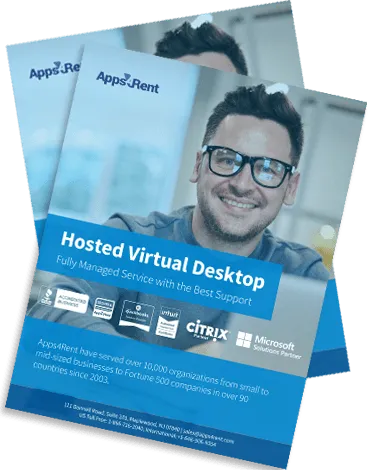
Work has changed. Offices no longer sit in one place. Teams work from homes, cafes, and shared spaces. This shift has made one solution very popular: a cloud based virtual desktop. This guide explains how it works, why people use it, and how it fits into daily business life.
What Is a Cloud Based Virtual Desktop?
A cloud based virtual desktop is a computer that runs on remote servers instead of your local device. You access it through the internet. It looks and feels like a normal desktop, but it lives in the cloud.
You can log in from:
- A laptop
- A tablet
- A smartphone
- A shared system
Your files, apps, and settings stay the same every time you log in.
How It Works in Simple Terms
The setup runs on remote data centers. These data centers host your desktop environment. When you connect, you see your desktop on your screen.
Here’s what happens:
- Your device connects to a cloud server
- The server runs your desktop
- You control everything in real time
- Data stays on the server, not your device
This setup reduces the need for powerful local machines.
Why Businesses Use Cloud Based Virtual Desktops
Many businesses move to this setup for flexibility and control. It helps teams work without limits tied to a physical office.
Key reasons include:
- Easy remote access
- Lower hardware costs
- Centralized data control
- Faster onboarding for new staff
Teams can start work from anywhere without long setup times.
Benefits for Daily Work
A cloud based virtual desktop makes daily tasks smoother. It removes common tech issues and gives a consistent work environment.
Here’s what users notice:
- Same desktop on every device
- No need to install software on each system
- Quick access to work files
- Fewer system crashes or slowdowns
Work becomes more stable and predictable.
Security You Can Rely On
Data safety matters for every business. A cloud based virtual desktop keeps your data stored in secure data centers.
This reduces risks like:
- Data loss from device theft
- Malware attacks on local systems
- Unauthorized file access
Security teams can control access and monitor activity from one place.
Cost Control and Budget Planning
Traditional IT setups cost a lot. You need hardware, maintenance, and upgrades. A cloud based virtual desktop changes that.
You can:
- Pay for what you use
- Avoid large upfront costs
- Reduce repair and upgrade expenses
This helps small and growing businesses manage budgets better.
Easy Setup for New Employees
Hiring new staff often means setting up systems and software. That takes time and effort.
With a cloud based virtual desktop:
- New users get instant access
- No manual installations are needed
- IT teams manage everything remotely
This speeds up the onboarding process.
Works Well for Remote and Hybrid Teams
Remote work needs reliable tools. A cloud based virtual desktop supports teams working from different locations.
Employees can:
- Log in from home or office
- Switch devices without losing progress
- Collaborate using shared apps
This keeps work consistent across the team.
Common Use Cases
Different industries use cloud desktops in their own way. It adapts to many work styles.
Examples include:
- Accounting firms using hosted software
- Design teams running heavy applications
- Customer support teams working in shifts
- Startups managing distributed teams
Each group benefits from flexibility and control.
Performance and Speed
Many people worry about speed. A cloud based virtual desktop performs well when set up correctly.
Speed depends on:
- Internet connection
- Server quality
- Application type
With a stable connection, most tasks run smoothly.
Device Flexibility
You don’t need expensive machines. Even basic devices can access a powerful desktop.
This means:
- Older laptops stay useful
- Teams save money on upgrades
- Work continues even if a device fails
You only need internet access to get started.
Backup and Data Recovery
Data loss can cause serious problems. A cloud based virtual desktop includes built-in backup systems.
This helps you:
- Restore files quickly
- Recover from system errors
- Avoid permanent data loss
Backups run in the background without interrupting work.
Things to Consider Before Choosing
Every business has different needs. It helps to review a few points before switching.
Think about:
- Internet reliability
- Type of software you use
- Number of users
- Support requirements
A clear plan helps you get the best results.
Final Thoughts
A cloud based virtual desktop gives you a simple way to manage work from anywhere. It reduces hardware stress, improves access, and keeps data secure.
Businesses that value flexibility and control often choose this setup. It supports modern work habits without adding complexity.
The shift to cloud desktops continues to grow. It fits well with how teams work today and how they plan for tomorrow.

 English
 Arabic
 French
 Spanish
 Portuguese
 Deutsch
 Turkish
 Dutch
Dutch
 Italiano
 Russian
 Romaian
 Greek
Greek