


How to Generate Premium Payment Receipts in LIC Merchant Portal
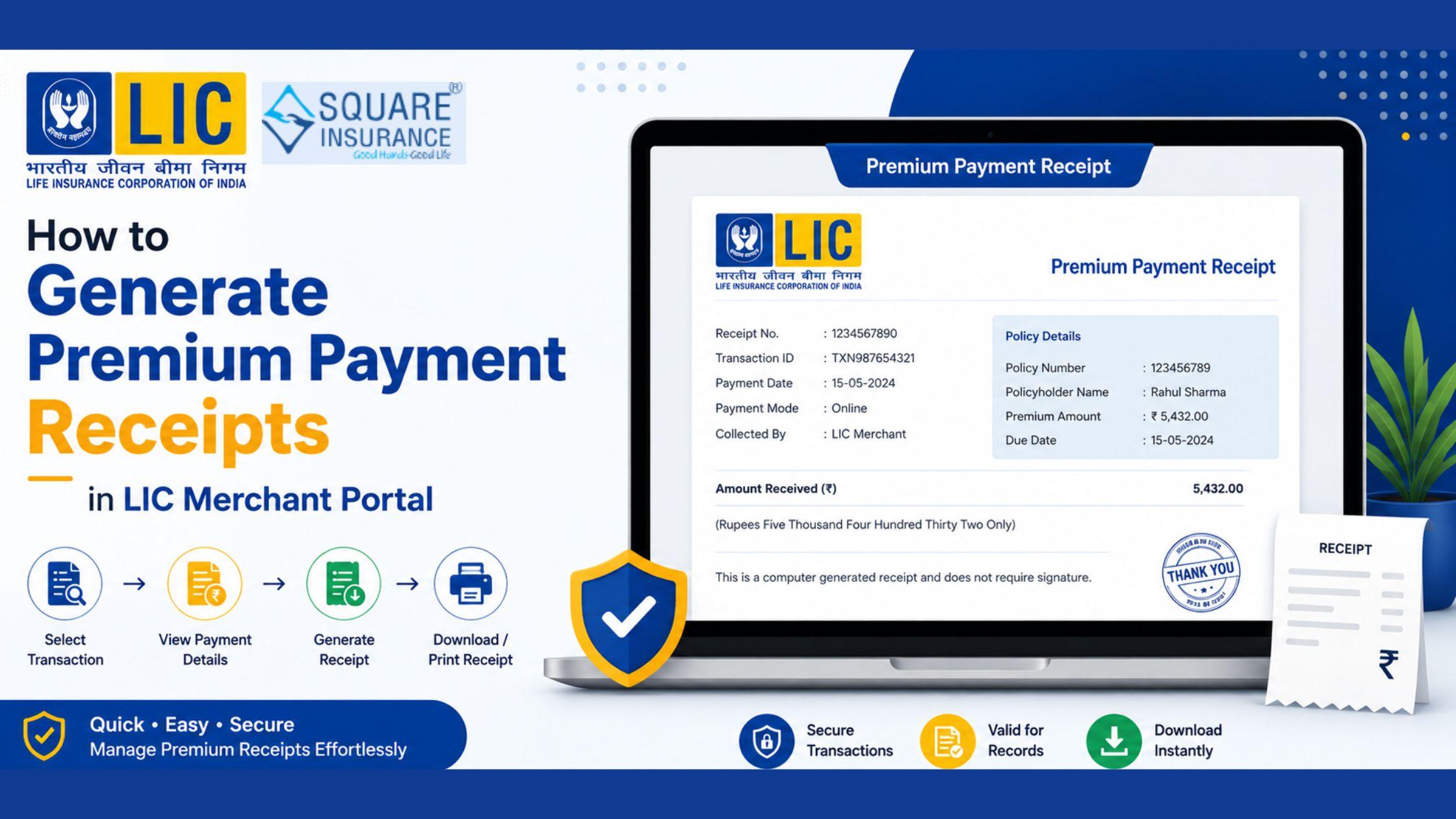
The LIC Merchant Portal is an advanced digital platform developed by LIC to help authorized merchants collect premiums, manage transactions, and serve policyholders more effectively. One of the most important features of the portal is the ability to generate premium payment receipts instantly after collecting policy premiums. These receipts serve as proof of payment and help maintain transparency between merchants and policyholders.
Whether you are a new LIC merchant or an experienced user, knowing how to generate premium payment receipts through the LIC Merchant Portal Login can significantly improve operational efficiency and customer satisfaction. In this guide, we explain the complete process of generating premium payment receipts in the LIC Merchant Portal, along with its benefits, common issues, and useful tips.
What is a Premium Payment Receipt?
A premium payment receipt is an official acknowledgment issued after a policyholder pays an insurance premium. It contains important transaction details such as:
- Policy number
- Customer name
- Premium amount
- Payment date
- Transaction reference number
- Receipt number
The receipt confirms that the premium has been paid successfully and updated in LIC's records.
Why Are Premium Payment Receipts Important?
Premium payment receipts play a crucial role for both policyholders and merchants.
For Policyholders
- Proof of premium payment
- Easy tracking of insurance transactions
- Useful for future policy-related queries
- Helps avoid disputes regarding payment status
For Merchants
- Maintains transaction records
- Simplifies customer service
- Improves operational transparency
- Assists during audits and reconciliations
Because of these benefits, merchants should ensure that receipts are generated and provided whenever a premium payment is collected.
Prerequisites Before Generating a Receipt
Before generating a premium payment receipt through the LIC Merchant Portal, ensure the following:
- You have a valid merchant login ID.
- Your portal account is active.
- The premium payment has been successfully processed.
- The policy details entered are accurate.
- Internet connectivity is stable.
Meeting these requirements helps avoid interruptions during receipt generation.
Step-by-Step Process to Generate Premium Payment Receipts
Step 1: Login to the LIC Merchant Portal
Open the LIC Merchant Portal and enter your authorized username and password.
After entering the credentials, complete any required verification process and access your merchant dashboard.
Step 2: Navigate to Premium Collection Section
Once logged in, locate the premium collection or transaction management section available on the dashboard.
This section contains information related to premium payments and transaction history.
Step 3: Search for the Policy
Enter the required policy details, such as:
- Policy number
- Customer details
- Transaction reference number
Verify the information carefully before proceeding.
Step 4: Confirm Payment Status
Before generating a receipt, ensure that the payment has been successfully processed.
The system should display the transaction as completed or successful.
If the payment is pending, the receipt may not be available for generation.
Step 5: Select Generate Receipt Option
After confirming the payment status, click on the "Generate Receipt" or similar option available within the portal.
The system will automatically prepare the receipt based on the transaction details.
Step 6: Review Receipt Information
Check the receipt carefully to verify:
- Policy number
- Customer name
- Premium amount
- Transaction date
- Receipt number
Ensuring accuracy at this stage helps prevent future discrepancies.
Step 7: Download or Print the Receipt
Once verified, you can:
- Download the receipt as a digital file
- Print a physical copy
- Share the receipt with the policyholder
Providing the receipt immediately enhances customer satisfaction and trust.
Benefits of Digital Receipt Generation
The LIC Merchant Portal has simplified receipt management through digital processing.
Some key benefits include:
Instant Availability
Receipts can be generated immediately after successful payment.
Reduced Paperwork
Digital receipts reduce dependency on manual documentation.
Better Record Keeping
Electronic receipts are easier to store and retrieve whenever required.
Improved Customer Service
Customers receive payment confirmation quickly, improving their overall experience.
Enhanced Transparency
Digital records help maintain accurate transaction histories.
Common Issues While Generating Receipts
Although the process is generally smooth, merchants may occasionally face challenges.
Payment Not Reflected
Sometimes a payment may take time to appear in the system.
In such cases, wait for the transaction to update before attempting receipt generation.
Incorrect Policy Details
Entering an incorrect policy number or customer information may prevent receipt retrieval.
Always verify policy details before searching.
Portal Login Issues
Login problems may occur due to incorrect credentials or temporary technical issues.
Double-check your credentials and try again after some time if necessary.
Slow Internet Connection
A weak internet connection may interrupt the receipt generation process.
Using a stable network can help avoid such issues.
Best Practices for Receipt Management
To ensure smooth operations, merchants should follow these best practices:
- Generate receipts immediately after payment confirmation.
- Verify transaction details carefully.
- Keep digital copies for future reference.
- Share receipts promptly with customers.
- Maintain organized records of all premium collections.
- Monitor transaction history regularly.
These practices help improve efficiency and reduce administrative challenges.
Security Tips for Receipt Generation
Since premium receipts involve financial transactions, security should always be a priority.
Merchants should:
- Keep login credentials confidential.
- Use strong passwords.
- Access the portal only through official channels.
- Log out after completing transactions.
- Avoid using public Wi-Fi networks.
- Monitor account activity regularly.
Following these precautions helps protect sensitive customer information.
Conclusion
Generating premium payment receipts in the LIC Merchant Portal is a simple yet essential task for authorized LIC merchants. The feature helps maintain transparency, improves customer confidence, and ensures proper documentation of premium transactions.
By following the correct steps and adopting good record-management practices, merchants can provide faster and more reliable service to policyholders. As LIC continues expanding its digital services, the ability to generate and manage premium payment receipts efficiently remains an important part of delivering a professional customer experience.

 English
 Arabic
 French
 Spanish
 Portuguese
 Turkish
 Dutch
Dutch
 Italiano
 Russian
 Romaian
 Portuguese (Brazil)
 Greek
Greek