


Install Dragon Medical One Extension for Microsoft Edge: Installation and Setup Guide
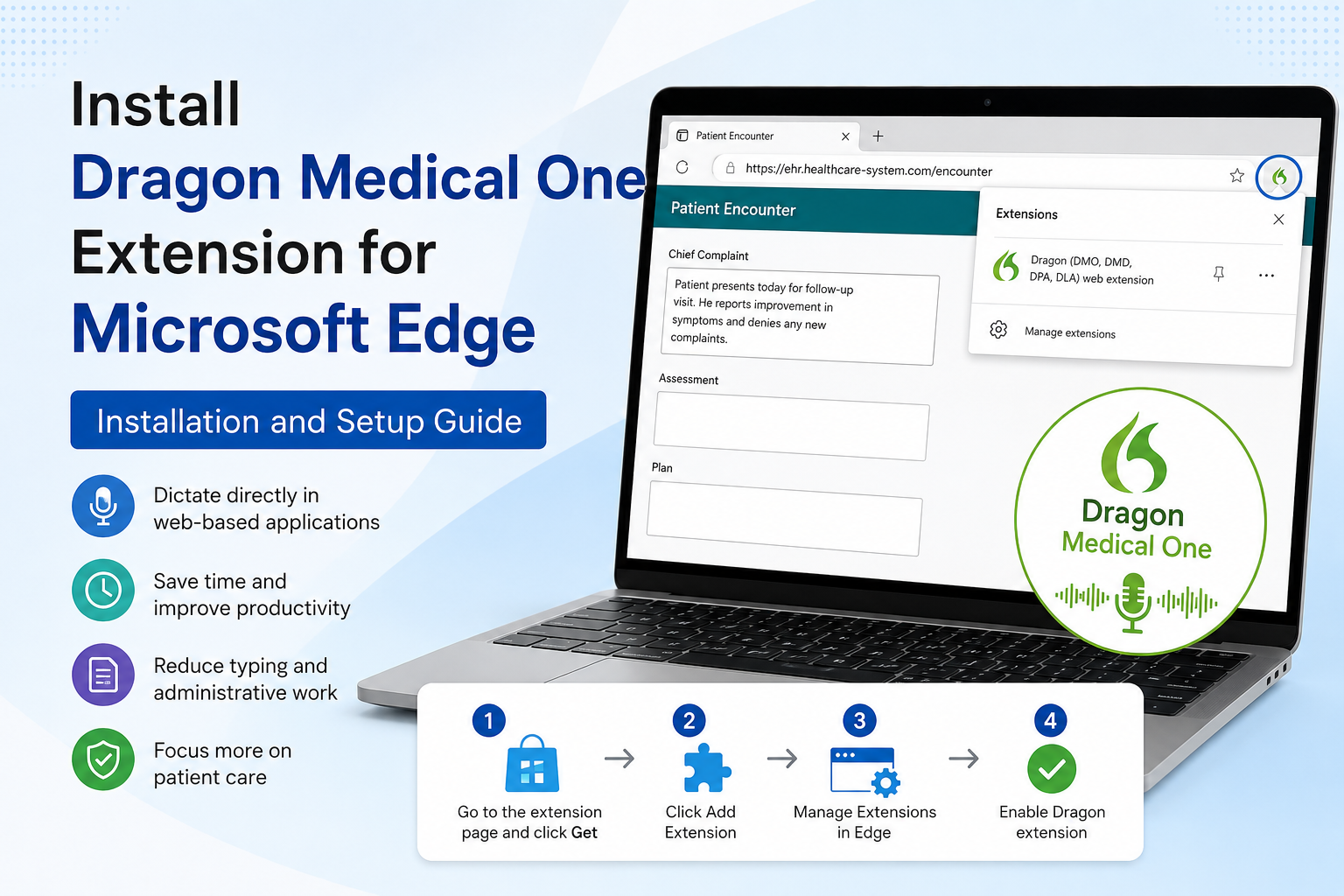
Dragon Medical One (DMO) is a cloud-based speech recognition solution designed to help healthcare professionals create clinical documentation quickly and accurately. To enhance compatibility with browser-based applications, Nuance provides the Dragon Medical One Extension for Microsoft Edge. This extension enables seamless voice dictation within supported websites and electronic health record (EHR) systems, reducing the need for manual typing and improving productivity.
What Is the Dragon Medical One Extension for Microsoft Edge?
The Dragon Medical One Extension is a browser add-on that allows Dragon Medical One to function efficiently with supported web applications. It integrates with browser-based EHR systems, clinical portals, and healthcare platforms, enabling users to dictate directly into text fields. This helps clinicians save time and focus more on patient care instead of administrative tasks.
Benefits of the Dragon Medical One Extension
Using the Dragon Medical One Extension offers several advantages:
- Saves time by reducing manual typing.
- Improves productivity and workflow efficiency.
- Minimizes typing fatigue.
- Reduces administrative workload.
- Supports better patient interaction and care.
- Works with many web-based healthcare applications.
- Provides flexible access through Microsoft Edge.
How to Install the Dragon Medical One Extension in Microsoft Edge
Follow these steps to install and enable the extension:
- Open Microsoft Edge and visit the Dragon (DMO, DMD, DPA, DLA) Web Extension page.
- Click Get and then select Add Extension.
- Once installed, click the Extensions icon beside the address bar.
- Select Manage Extensions and confirm that the Dragon web extension is enabled.
- If the extension does not appear, revisit the page and reinstall it.
- Make sure you are using the latest version of Microsoft Edge for optimal performance.
Compatibility Note
This extension is intended for Dragon Medical One and selected enterprise products. It is not compatible with:
- Dragon Professional Individual
- Dragon Professional Group
- Dragon Legal
- Dragon Law Enforcement
- Dragon Home
- Dragon Medical Practice Edition
- Dragon Medical Network Edition
What's New in Recent Versions?
Version 24.3.12190
- Eliminates extra blank spaces when creating new lines in TinyMCE editors.
- Supports MEDITECH Expanse sign-in with Okta SSO multifactor authentication.
Version 23.2.8970
- TrackCor upgrades no longer interfere with dictation.
- Voice commands like "Undo That" and "Redo That" work correctly.
Version 22.2.845.0
- Supports Chromium-based Microsoft Edge extension framework updates.
- Improves dictation in TrakCare windows containing multiple CKEditor fields.
Conclusion
The Dragon Medical One Extension for Microsoft Edge is a valuable addition for healthcare professionals seeking faster and more accurate documentation. By enabling voice dictation directly within supported web applications, it reduces administrative burdens and helps clinicians devote more attention to patient care. With regular updates and easy installation, the extension provides a reliable solution for modern healthcare workflows.
Frequently Asked Questions
How do I install the Dragon Medical One Extension for Microsoft Edge?
Open the extension page in Microsoft Edge, click Get, and then choose Add Extension. Verify that it is enabled through the Extensions menu.
Is the Dragon Medical One Extension free?
Yes. The extension is available to Dragon Medical One users at no additional cost.
Which browsers support the Dragon Medical One Extension?
The extension supports Microsoft Edge and other Chromium-based browsers.
Does Dragon Professional Individual work with this extension?
No. The extension is designed specifically for Dragon Medical One and certain enterprise editions.
Why is the extension not showing after installation?
Check that it is enabled under Manage Extensions and ensure you are using the latest version of Microsoft Edge.
Can I use Dragon Medical One with web-based EHR systems?
Yes. The extension enables dictation in many supported web-based EHR systems and healthcare applications.
Does the extension improve productivity?
Yes. It reduces typing, minimizes administrative work, and allows healthcare professionals to spend more time with patients.
Do I need to update Microsoft Edge before installing the extension?
Using the latest version of Microsoft Edge is recommended to ensure compatibility and the best performance.

 Arabic
 French
 Spanish
 Portuguese
 Deutsch
 Turkish
 Dutch
Dutch
 Italiano
 Russian
 Romaian
 Portuguese (Brazil)
 Greek
Greek