


The Paperless Factory Office: Digitizing Manufacturing Workflows via Salesforce Flow
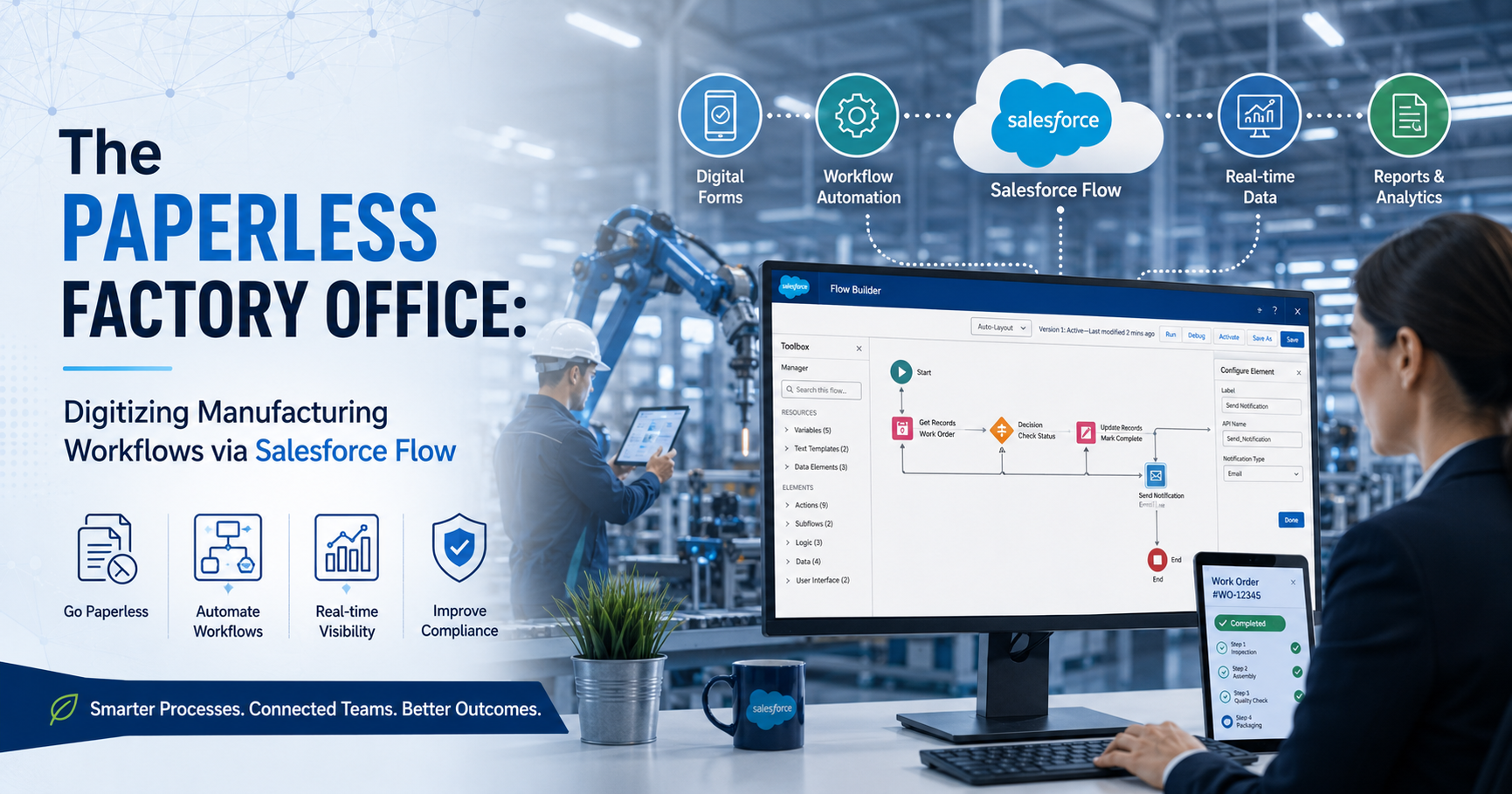
Traditional manufacturing plants often rely on physical paperwork to manage daily operations. Floor workers use printed clipboards to track assembly steps. Quality managers fill out paper logs to document product defects. These manual habits slow down data sharing and cause costly data entry errors.
Transitioning to digital processes resolves these communication delays. Implementing a modern enterprise system like Salesforce Manufacturing Cloud allows companies to replace physical tracking forms with scalable, connected data models. Deploying tailored Salesforce Solutions for Manufacturing transforms paper-heavy shops into automated digital environments. This technical guide explains how to digitize production steps using declarative automation tools. It focuses on using Salesforce Flow alongside modern enterprise systems.
The True Cost of Paper-Based Production
Relying on paper forms hurts production speed and data accuracy. Physical documents get lost easily on chaotic factory floors. Workers often misread handwritten numbers, which leads to wrong assembly setups.
Industry data highlights the deep financial impact of manual paper operations. Industrial studies show that paperwork errors cause up to 20% of all manufacturing downtime. Furthermore, field technicians spend roughly 18% of their shift searching for correct instruction documents.
Transitioning to automated digital records eliminates these physical friction points. Digital record tracking ensures that every operator views identical, real-time data on their workstations.
Digital Foundations for Smart Manufacturing
Modern enterprises build digital architectures on integrated software platforms. Companies deploy targeted cloud systems to unify their factory data.
1. Incorporating Salesforce Manufacturing Cloud
An enterprise architecture benefits from specialized databases. Implementing Salesforce Manufacturing Cloud provides a clear view of commercial commitments and floor data.
This system stores sales agreements, production forecasts, and account metrics in one place. It acts as the central data engine for the entire factory operation.
2. Custom Salesforce Solutions for Manufacturing
Every assembly line uses distinct operational steps. Standard software setups rarely fit unique shop layouts perfectly. Developing tailored Salesforce Solutions for Manufacturing allows teams to track specific variables. Engineers can design distinct objects for machine specifications, raw components, and quality control tests.
Technical Architecture of Salesforce Flow
Salesforce Flow acts as the primary automation engine within the cloud platform. It allows engineers to build complex logic without writing custom Apex code. The engine runs specific types of automation based on operation triggers.
1. Screen Flows for Floor Personnel
Screen Flows provide interactive user interfaces on tablets and rugged workstations. Operators see clear input fields tailored to their specific tasks. The interface adapts dynamically based on the choices the worker selects.
2. Record-Triggered Flows
These automations run in the background when database changes occur. For instance, when an operator marks a work order as complete, a record-triggered flow executes instantly. It can calculate parts consumption or update asset status fields without user assistance.
3. Platform Event Flows
Modern production machinery uses sensors to broadcast operational metrics. Platform event flows listen for these digital signals. If a machine detects an internal temperature spike, the flow catches the alert and opens an urgent maintenance case automatically.
Steps to Digitize a Shop Floor Workflow
Replacing a paper process requires careful database planning and rule mapping. Follow this step-by-step method to convert a paper quality check into an automated flow.
Step 1: Mapping the Data Model
Before building any automation, establish your data relationships. Create a custom object named Quality_Inspection__c. Link this object to the standard WorkOrder object using a master-detail relationship field.
Step 2: Creating the User Screen
Open Flow Builder and select the Screen Flow option. Drag a Screen component onto the canvas area. Add a radio button field for the inspection result and a number input field for defect counts.
Configure validation rules on the screen inputs. Set the system to require a text explanation if the operator reports more than zero defects. This rule prevents workers from submitting incomplete logs.
Step 3: Implementing Decision Logic
Drag a Decision element onto the workspace after the Screen component. Create two logic paths: "Passed Inspection" and "Failed Inspection".
For the passing path, use an Update Records element to mark the parent work order as approved. For the failing path, direct the flow to create a new record in the Maintenance_Case__c object.
Connecting Floor Systems to the Cloud
A paperless office must communicate directly with manufacturing execution systems (MES) and enterprise resource planning (ERP) tools. Salesforce Flow connects to these external networks using standard web technologies.
|
Integration Component |
Technical Mechanism |
Operational Purpose |
|
External Services |
OpenAPI JSON Schemas |
Invokes external ERP APIs without code |
|
Apex Actions |
Named Credentials |
Handles secure OAuth token exchange |
|
MuleSoft Composer |
Pre-built Data Connectors |
Syncs inventory data across separate databases |
|
Change Data Capture |
Event Bus Streaming |
Publishes real-time object changes |
Using External Services allows a flow to send parts-consumption data to an on-premise ERP system instantly. The system keeps inventory accounts accurate across all company databases.
Quantifiable Gains of Digital Automation
Switching from paper records to cloud flows creates clear operational improvements. Manufacturing sites record significant performance upgrades after removing paper dependencies.
1. Lower Error Rates
Manual data entry from paper sheets results in an average error rate of 4%. Cloud-based screen flows use automated format validation checks. This validation reduces data input mistakes to less than 0.5%.
2. Shorter Cycle Times
Paper routing requires supervisors to walk across the factory to sign off on production changes. Digital approvals route through mobile push notifications instead. Moving to digital approvals reduces work order approval delays by up to 75%.
Resolving Implementation Obstacles
Deploying new software tools on active production lines can introduce technical and human challenges. Use these tactics to ensure a smooth system launch.
1. Handling Unreliable Network Connections
Some metal factory buildings block cellular and wireless signals. If a tablet loses its connection mid-shift, an operator cannot save flow data.
To protect data, deploy offline-ready mobile applications. These apps cache the flow input data locally on the tablet hardware. When the device reconnects to the factory network, the application uploads the cached files to Salesforce automatically.
2. Controlling Flow Governance and Limits
Complex factories run thousands of transactions every hour. If you configure background flows poorly, you can hit system processing limitations.
Always avoid putting data queries inside loop elements. Use collection variables to update multiple production records simultaneously. This practice keeps your automation light and prevents system speed issues.
Real-World Applications
1. Aerospace Component Assemblies
An aerospace parts builder used paper logbooks to track part serial numbers. This process caused shipping delays because quality teams had to audit every page manually. The builder created custom Salesforce Solutions for Manufacturing to replace the logbooks. They built screen flows that require operators to scan component barcodes using a tablet camera. This change removed paper logs from the assembly area completely. It reduced final audit times from three days down to two hours.
2. Industrial Valve Customization
A valve manufacturing company used paper job sheets to communicate custom product orders to floor mechanics. Workers often grabbed outdated instruction sheets by mistake, which caused assembly errors. The manufacturer deployed Salesforce Manufacturing Cloud and linked it to floor monitors via flows. Now, when a customer alters an order, the display screen updates the build blueprints instantly. This update pattern reduced assembly scrap expenses by 32% in the first year.
System Configuration Best Practices
Following structured development guidelines keeps cloud automations stable and easy to maintain.
-
One Architecture Blueprint per Object: Use a single record-triggered flow for each custom object. Use sub-flows to separate specific business steps. This setup simplifies troubleshooting.
-
Clear Description Fields: Document the purpose of every variable, formula, and decision block inside your flow. Clear notes help outside developers update the system later.
-
Strict Fault Path Routing: Connect a fault connector line to every database action element. Route system error alerts to a shared IT monitoring channel to fix bugs fast.
Data Privacy and Industrial Security
Moving production details to a cloud platform requires strong data security configurations. Factories must protect proprietary product formulas and customer order histories from unauthorized access. Use Salesforce Shield to encrypt sensitive data fields while they sit inside the cloud database. Configure profile access settings to ensure floor operators only see data fields necessary for their specific tasks.
In addition, set up automated audit logs. These logs record exactly which user changed a production value or viewed a specific build specification.
Future Trends in Factory Automation
The evolution of factory software centers on combining predictive analytics with active automation routines. Future flow architectures will connect directly to artificial intelligence systems. AI models will monitor machinery health data in the background. If a robot arm shows signs of wear, the AI tool can launch a background flow to pause the machine line. The system will order a replacement part and alert the floor crew before a breakdown occurs.
Conclusion
Building a paperless factory office is essential for maintaining production speed and data precision. Clipboards and paper tracking forms isolate valuable data and slow down necessary line adjustments. These manual methods limit a manufacturer's ability to respond quickly to market changes.
Integrating declarative tools like Salesforce Flow with Salesforce Manufacturing Cloud eliminates these operational delays. This automation framework cuts down data errors, speeds up order tracking, and provides clean operational logs. Transitioning to custom Salesforce Solutions for Manufacturing ensures your shop floor operates at peak efficiency.

 English
 Arabic
 French
 Spanish
 Portuguese
 Deutsch
 Dutch
Dutch
 Italiano
 Russian
 Romaian
 Portuguese (Brazil)
 Greek
Greek