


How to Set Up and Use the Epson 8550 DTF Printer: Complete Setup Guide
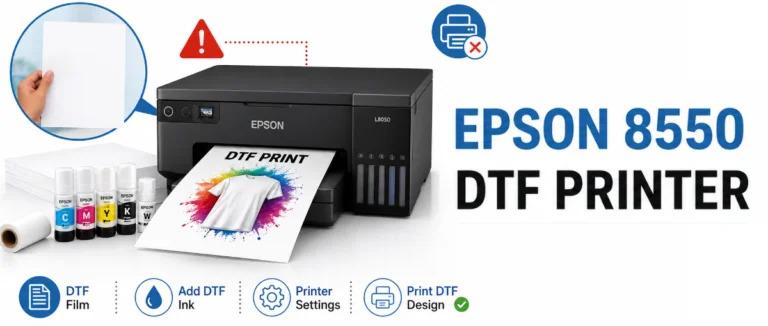
The Epson 8550 DTF Printer has become a popular choice for hobbyists and small businesses looking to create high-quality custom apparel using Direct-to-Film (DTF) printing. While the Epson EcoTank ET-8550 is not sold as a dedicated DTF printer, many users convert it for DTF applications with compatible ink, film, and RIP software. This guide explains How to Set Up and Use the Epson 8550 DTF Printer for reliable and professional printing.
Table of Contents
-
What Is the Epson 8550 DTF Printer?
-
Why Choose the Epson 8550 for DTF Printing?
-
How to Set Up the Epson 8550 DTF Printer
-
How to Print Using the Epson 8550 DTF Printer
-
Maintenance Tips
-
Frequently Asked Questions
-
Conclusion
What Is the Epson 8550 DTF Printer?
The Epson 8550 DTF Printer is based on the Epson EcoTank ET-8550 and is widely used for DTF printing after modification. It supports borderless printing up to 13" × 19", delivers excellent print quality, and uses refillable ink tanks, making it a cost-effective option for custom garment printing.
Key Features
-
Cartridge-free EcoTank system
-
High-resolution printing up to 5760 × 1440 dpi
-
Borderless printing up to 13" × 19"
-
Wireless, USB, and Ethernet connectivity
-
Suitable for DTF film after proper conversion
Why Choose the Epson 8550 for DTF Printing?
Many users choose the Epson 8550 because it combines professional-quality output with affordable operating costs.
Benefits
-
Produces vibrant colors and sharp details
-
Low ink replacement costs
-
Ideal for custom T-shirts, hoodies, tote bags, and more
-
Large print size for creative projects
-
Easy wireless printing from computers and mobile devices
How to Set Up the Epson 8550 DTF Printer
Follow these steps to complete the initial setup.
1. Unbox the Printer
Inside the package, you'll typically find:
-
Epson ET-8550 printer
-
Power cable
-
Setup guide
-
Ink bottles (for standard use)
-
Installation software
2. Choose a Suitable Location
Place the printer on a stable, flat surface with enough space around the paper trays and rear feed.
3. Install DTF Components
For DTF printing, users typically replace the standard ink with compatible DTF ink and install RIP software designed for DTF workflows.
4. Install Drivers
Download and install the latest Epson printer drivers along with your preferred RIP software. This ensures proper communication between the printer and your computer.
5. Connect the Printer
Choose one of the available connection methods:
-
Wi-Fi
-
Wi-Fi Direct
-
USB
-
Ethernet
How to Print Using the Epson 8550 DTF Printer
Once your printer is configured, you're ready to print.
Printing Steps
-
Load the DTF transfer film into the rear paper feed.
-
Perform a nozzle check before printing.
-
Open your design in RIP software.
-
Select the correct ICC color profile.
-
Print the mirrored artwork.
-
Apply DTF powder evenly.
-
Cure the print using the recommended heat settings.
-
Transfer the design onto the garment using a heat press.
Maintenance Tips
Proper maintenance helps improve print quality and extends printer life.
Best Practices
-
Perform regular nozzle checks.
-
Use high-quality DTF ink and transfer film.
-
Keep the printhead clean.
-
Store ink bottles properly.
-
Print regularly to reduce nozzle clogging.
-
Update printer drivers whenever available.
Conclusion
The Epson 8550 DTF Printer offers an affordable solution for creating professional-quality DTF transfers when properly configured. By following this guide on How to Set Up and Use the Epson 8550 DTF Printer, you can install the printer, load DTF media, configure the necessary software, and produce vibrant transfers with confidence. Regular maintenance, quality supplies, and proper printer settings will help ensure consistent performance and long-lasting results from your epson-8550-dtf-printer setup.
Source: epson-8550-dtf-printer

 English
 Arabic
 French
 Portuguese
 Deutsch
 Turkish
 Dutch
Dutch
 Italiano
 Russian
 Romaian
 Portuguese (Brazil)
 Greek
Greek