


How to Stream Total Gym Workouts on TV: Complete Setup Guide
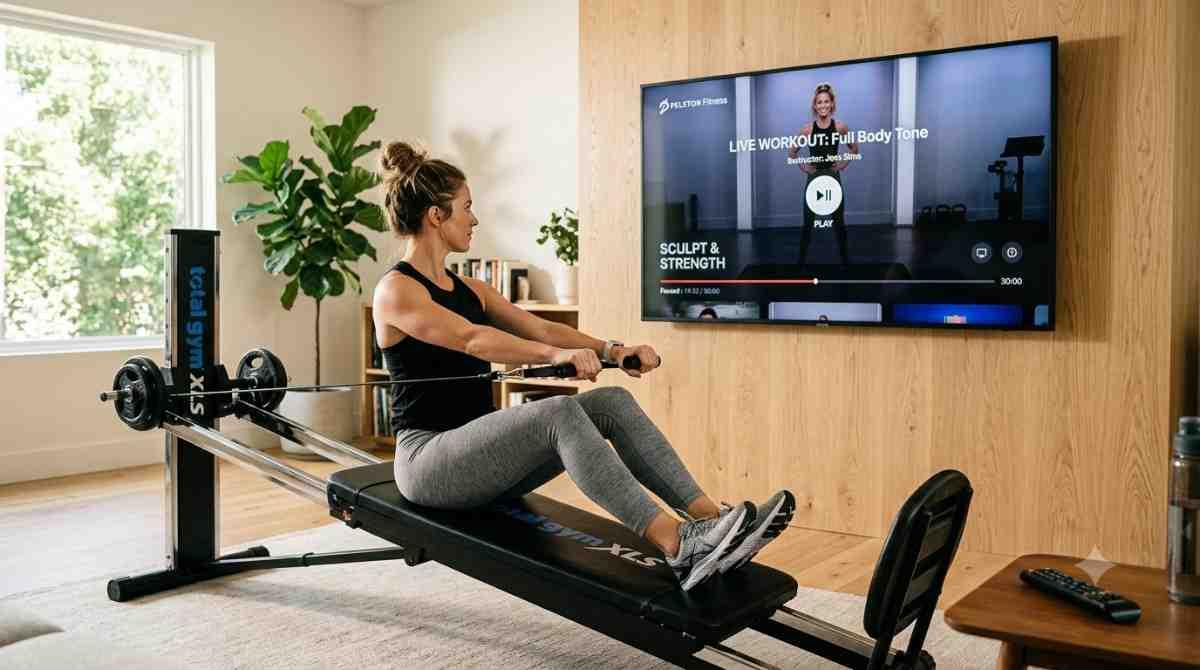
Total Gym TV runs on nearly every screen you own — phone, tablet, laptop, and yes, your television. If you've been doing your reformer-style routines on a 6-inch phone screen propped against a water bottle, moving that video to your TV takes less than five minutes on most setups.
Total Gym TV is the brand's on-demand streaming platform, built as an app-and-browser alternative to the old DVD workout library. It works with every Total Gym model — FIT, EVOLVE, APEX G3, XLS, and the full Classic lineup — so you don't need a specific machine to use it.
Below is every practical way to get Total Gym workouts onto your TV, ranked from simplest to most manual, plus what to check before you commit to a plan.
Key Takeaways
- ✓ Total Gym TV has dedicated apps for Roku, Fire TV, Apple TV, and Android TV — no extra hardware needed if you already own one of these boxes.
- ✓ If your TV doesn't have a native app, screen mirroring or casting from your phone or laptop works on almost any smart TV.
- ✓ Every plan opens with a free 7-day trial, so you can test the TV app before paying anything.
- ✓ The annual plan runs $119.50, which works out to roughly two months free compared to paying monthly.
- ✓ Total Gym TV streams from any internet-connected device with a browser — no DVD player or disc required.
Why Streaming on a Big Screen Actually Changes Your Workout
Total Gym routines involve incline, resistance, and full-body positioning — you're often lying back or reaching overhead, which makes a phone screen genuinely hard to see mid-set. A TV puts the trainer's form cues, rep counts, and pacing where you can actually read them without pausing to squint. It also means one less thing propped precariously on your Total Gym rail.
Step 1: Check Which Smart TV Platform You Have
Before picking a method, look at what's already built into your TV or streaming box. Total Gym TV has confirmed apps for:
- Roku (via the Roku Channel Store)
- Amazon Fire TV
- Apple TV
- Android TV / Google TV
If your television runs one of these platforms — or you own a separate Roku, Fire Stick, or Apple TV box plugged into an older TV — you can install the app directly and skip screen mirroring entirely.
Step 2: Install the Total Gym TV App on Your Streaming Device
For Roku, Fire TV, Apple TV, or Android TV:
- Open the app store on your device (Roku Channel Store, Amazon Appstore, Apple TV App Store, or Google Play on Android TV).
- Search "Total Gym TV."
- Select Install or Get.
- Launch the app and sign in with your existing account, or start the free 7-day trial if you're new.
- Browse by trainer, workout length, or category — strength, cardio, stretch, Pilates, and HIIT are all organized separately.
This is the cleanest method because the app runs natively on the TV's hardware — no phone battery drain, no dropped Wi-Fi connection mid-workout, and full remote-control navigation.
Step 3: Cast or Mirror From Your Phone or Laptop (No Dedicated App)
If your TV platform isn't on the supported list, you can still get the picture onto the big screen:
Chromecast built-in / Android:
- Connect your phone and TV to the same Wi-Fi network.
- Open Total Gym TV in your browser or app.
- Tap the Cast icon and select your TV.
Apple devices (AirPlay):
- Confirm your TV or streaming box supports AirPlay (Apple TV, or a smart TV with AirPlay 2 built in).
- Open Control Center on your iPhone or iPad.
- Tap Screen Mirroring, select your TV, and open Total Gym TV.
Laptop via HDMI:
- Connect an HDMI cable from your laptop to the TV.
- Switch the TV input to the correct HDMI port.
- Play the workout through your browser at full screen.
This method works regardless of brand, but expect a little more setup friction than a native app — and your device needs to stay awake and connected for the full session.
Step 4: Use Your TV's Web Browser (If It Has One)
Some smart TVs — particularly newer LG, Samsung, and Sony models — have a built-in browser. Since Total Gym TV is browser-based, you can navigate directly to the site, log in, and stream without installing anything. Navigation with a TV remote is clunky compared to a dedicated app, so this is more of a backup option than a first choice.
Comparing the Streaming Methods
| Method | Setup Time | Best For |
|---|---|---|
| Native app (Roku/Fire TV/Apple TV/Android TV) | 2–3 minutes | Anyone with a supported streaming box |
| Casting/AirPlay from phone | 3–5 minutes | Occasional streaming, no dedicated box |
| HDMI cable from laptop | 1–2 minutes (after cable purchase) | Older TVs with no smart features |
| TV's built-in browser | Varies | Backup when no app or casting option exists |
Step 5: Confirm Your Plan and Look for a Discount Before You Sign Up
Every Total Gym TV plan starts with a free 7-day trial, so there's no reason to pay before testing the app on your actual TV setup. After the trial, you're choosing between a monthly plan and an annual plan (currently around $119.50/year, which saves roughly two months versus paying monthly).
Before entering payment details, it's worth checking for active Total Gym coupons — discount codes for the streaming subscription do circulate periodically, and applying one at checkout costs nothing extra in effort. Total Gym TV Streaming Video Workouts $25 Off promotions have appeared on the annual plan in the past, so it's worth a quick search for a current code before you commit to a full year upfront.
If you're also considering upgrading your actual Total Gym machine or ordering accessories, the same Total Gym coupons pages that list streaming discounts often carry equipment codes too — worth bookmarking one place to check both.
Frequently Asked Questions
Can I stream Total Gym workouts on any smart TV?
Yes, in one of two ways. If your TV runs Roku, Fire TV, Apple TV, or Android TV, install the native Total Gym TV app directly. If it runs a different platform, cast from your phone (Chromecast or AirPlay) or connect a laptop via HDMI.
Do I need a specific Total Gym machine to use Total Gym TV?
No. The streaming platform works with every Total Gym model, including FIT, EVOLVE, APEX G3, XLS, and the Classic lineup — the app isn't tied to a specific machine.
Is there a free trial before I have to pay?
Yes, every plan includes a free 7-day trial with full unlimited access. You can cancel before day 8 and avoid being charged.
Is the annual plan cheaper than paying monthly?
Yes. The annual plan runs about $119.50, which comes out to roughly two months free compared to 12 months on the monthly plan.
Do I need an app, or can I just use a browser on my TV?
Either works. Total Gym TV is browser-based, so any internet-connected device with a browser can stream it — including TVs with built-in browsers — though a dedicated app is easier to navigate with a remote.
Why does streaming on TV work better than using my phone during a workout?
Total Gym routines involve reclined and overhead positions where a phone screen is hard to see. A TV keeps trainer cues and pacing visible without needing to pause and check the screen.

 English
 Arabic
 French
 Spanish
 Portuguese
 Deutsch
 Turkish
 Dutch
Dutch
 Italiano
 Romaian
 Portuguese (Brazil)
 Greek
Greek