


How to Detect Hidden Camera with Mobile Phone: A Practical Step-by-Step Guide
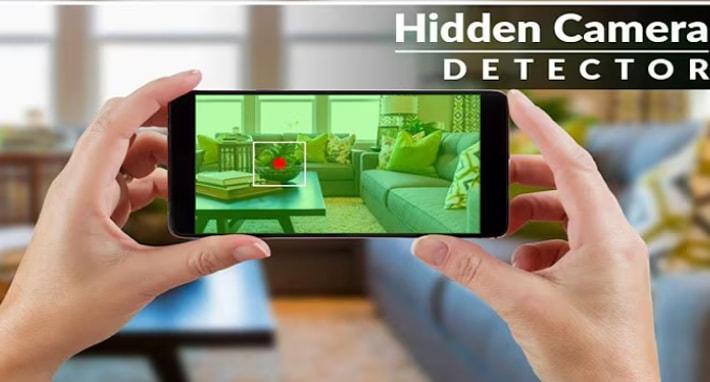
Privacy is a serious concern today. With tiny surveillance devices becoming cheaper and easier to hide, many people worry about hidden cameras in hotel rooms, rental apartments, changing rooms, offices, or even public spaces.
If you are wondering how to detect hidden camera with mobile phone, the good news is that your smartphone can actually help more than you think.
In this guide, I will walk you through practical, real-world methods you can use immediately. No technical background needed. Just your phone, some awareness, and a few simple steps.
Why Hidden Cameras Are Hard to Spot
Modern hidden cameras are:
- Extremely small
- Often disguised as everyday objects
- Wireless and battery-powered
- Equipped with infrared night vision
They can be hidden inside:
- Smoke detectors
- Wall clocks
- Air purifiers
- Power outlets
- Charging adapters
- Light bulbs
- Tissue boxes
Because of their size and placement, you cannot rely only on visual inspection. That is where your mobile phone becomes useful.
Can You Really Detect a Hidden Camera with a Mobile Phone?
Yes, in many cases you can.
Your phone has tools that can help:
- Flashlight
- Front and back cameras
- WiFi scanner apps
- Bluetooth scanner apps
- Magnetometer (detects magnetic fields)
While a smartphone cannot guarantee 100 percent detection, it significantly increases your chances of spotting suspicious devices.
Let’s break down the proven methods.
Method 1: Use Your Phone Flashlight to Detect Camera Lens Reflection
This is one of the simplest and most effective techniques.
Why It Works
Camera lenses are made of glass. Glass reflects light in a very specific way. Even tiny spy cameras have lenses that reflect bright light.
Step-by-Step Process
- Turn off the room lights.
- Close curtains to make the room darker.
- Turn on your phone flashlight.
- Slowly scan the room while looking carefully.
- Check small holes, vents, decorations, and electronic devices.
If you see a small, circular reflection that looks like a tiny shiny dot, inspect that area closely.
Pro Tip
Move your head slightly while shining the light. A camera lens reflection tends to stay bright from different angles.
Method 2: Use Your Phone Camera to Detect Infrared Light
Many hidden cameras use infrared LEDs for night vision. These LEDs are invisible to the naked eye, but your phone camera can often see them.
How to Test It
- Turn off all lights in the room.
- Open your phone camera.
- Slowly scan the room.
- Look for small purple or white glowing dots.
Important Tip
Some smartphones filter infrared on the rear camera. If you do not see anything, try the front camera.
If you spot multiple small glowing dots together in one place, it may indicate infrared LEDs around a hidden camera lens.
Method 3: Scan the WiFi Network Using Your Phone
Most modern hidden cameras are connected to WiFi.
If you are in a hotel room or Airbnb, you can scan the local network.
What You Need
Install a reliable network scanning app from your app store. These apps show all devices connected to the same WiFi network.
What to Look For
Suspicious device names such as:
- IP Camera
- Generic device names
- Unknown manufacturer labels
- Devices with no recognizable identity
If you see devices that look unfamiliar, investigate further.
Important Reminder
Not all hidden cameras use WiFi. Some store recordings locally on memory cards.
Method 4: Use Bluetooth Scanning Apps
Some small spy cameras use Bluetooth instead of WiFi.
Open your phone’s Bluetooth settings and scan for nearby devices.
If you see:
- Unknown device names
- Devices that stay active but do not belong to you
It may be worth checking the room carefully.
Method 5: Detect Magnetic Fields with Your Phone
Hidden cameras sometimes contain magnetic components.
Some smartphones include a magnetometer sensor (used for compass functionality).
You can download apps that measure magnetic field strength.
How It Helps
Move your phone slowly near suspicious objects. If you notice unusual magnetic spikes behind walls or objects, investigate further.
Keep in mind, this method is less reliable but can help in certain cases.
Physical Inspection Still Matters
Technology helps, but never ignore physical checks.
When entering a new room:
- Check smoke detectors
- Inspect air vents
- Look inside power outlets
- Examine wall decorations
- Check mirrors carefully
- Look for small holes facing beds or bathrooms
Mirror Test
Place your fingertip against the mirror.
If there is no gap between your finger and its reflection, it could be a two-way mirror. Normal mirrors have a small gap.
This is not foolproof but worth checking.
Common Places Where Hidden Cameras Are Found
If your goal is to learn how to detect hidden camera with mobile phone effectively, focus on high-risk areas:
- Bedrooms
- Bathrooms
- Shower areas
- Facing the bed
- Facing dressing areas
- Air conditioning vents
- Smoke detectors
- Alarm clocks
Always scan areas that provide a direct view of private spaces.
Signs That May Indicate a Hidden Camera
Besides technical detection, watch for warning signs:
- Small unexplained holes in walls
- Unusual wires
- Devices facing directly toward bed or bathroom
- Strange blinking lights
- Excessive electronic items in unusual places
Trust your instincts. If something feels wrong, inspect it.
What To Do If You Find a Hidden Camera
If you confirm or strongly suspect a hidden camera:
- Do not touch or damage it.
- Take clear photos using your phone.
- Leave the location if necessary.
- Contact local authorities immediately.
- Inform hotel management or property owner.
Avoid confronting anyone directly if you feel unsafe.
Are Hidden Camera Detector Apps Reliable?
You will find many apps claiming to detect hidden cameras.
Be cautious.
Some apps:
- Detect only magnetic fields
- Use network scanning
- Provide false positives
No app alone guarantees detection. Use multiple methods together for better results.
Limitations of Detecting Hidden Cameras with Mobile Phone
It is important to be realistic.
Your phone may not detect:
- Cameras without wireless connection
- Devices deeply hidden inside walls
- Professionally installed surveillance systems
Professional RF detectors are more powerful but not always practical for travelers.
Still, using your mobile phone significantly improves your ability to protect yourself.
Extra Safety Tips When Staying in Hotels or Rentals
To stay safe:
- Book from trusted platforms
- Read reviews carefully
- Avoid rooms with unnecessary electronics
- Cover suspicious devices with tape temporarily
- Use your own hotspot instead of unknown WiFi
If you frequently travel, consider carrying a small camera detector device.
Frequently Asked Questions
Can a smartphone detect all hidden cameras?
No. It improves detection chances but cannot guarantee 100 percent success.
Can hidden cameras work without WiFi?
Yes. Some store recordings on internal memory cards.
Do all hidden cameras emit infrared light?
No. Only those with night vision use infrared LEDs.
Is it legal to check for hidden cameras?
Yes. Protecting your privacy is completely legal. However, damaging property is not.
Final Thoughts
Learning how to detect hidden camera with mobile phone is about awareness and smart usage of tools you already carry every day.
Your phone can help you:
- Detect lens reflections
- Spot infrared lights
- Scan WiFi devices
- Identify suspicious Bluetooth signals
While no method is perfect, combining these techniques gives you strong protection.
The key is to stay alert, trust your instincts, and take action if something feels suspicious.
Your privacy matters. And with the right knowledge, you can take control of your personal safety anytime, anywhere.

 English
 Arabic
 French
 Spanish
 Portuguese
 Deutsch
 Turkish
 Dutch
Dutch
 Russian
 Romaian
 Portuguese (Brazil)
 Greek
Greek